

I’ve been something of an AI skeptic for a while, using it mostly as a glorified search engine and spell checker. However, after a long conversation with a very good programmer1 (Jon) who now uses AI — specifically Claude — extensively, I was finally convinced to give it a try.
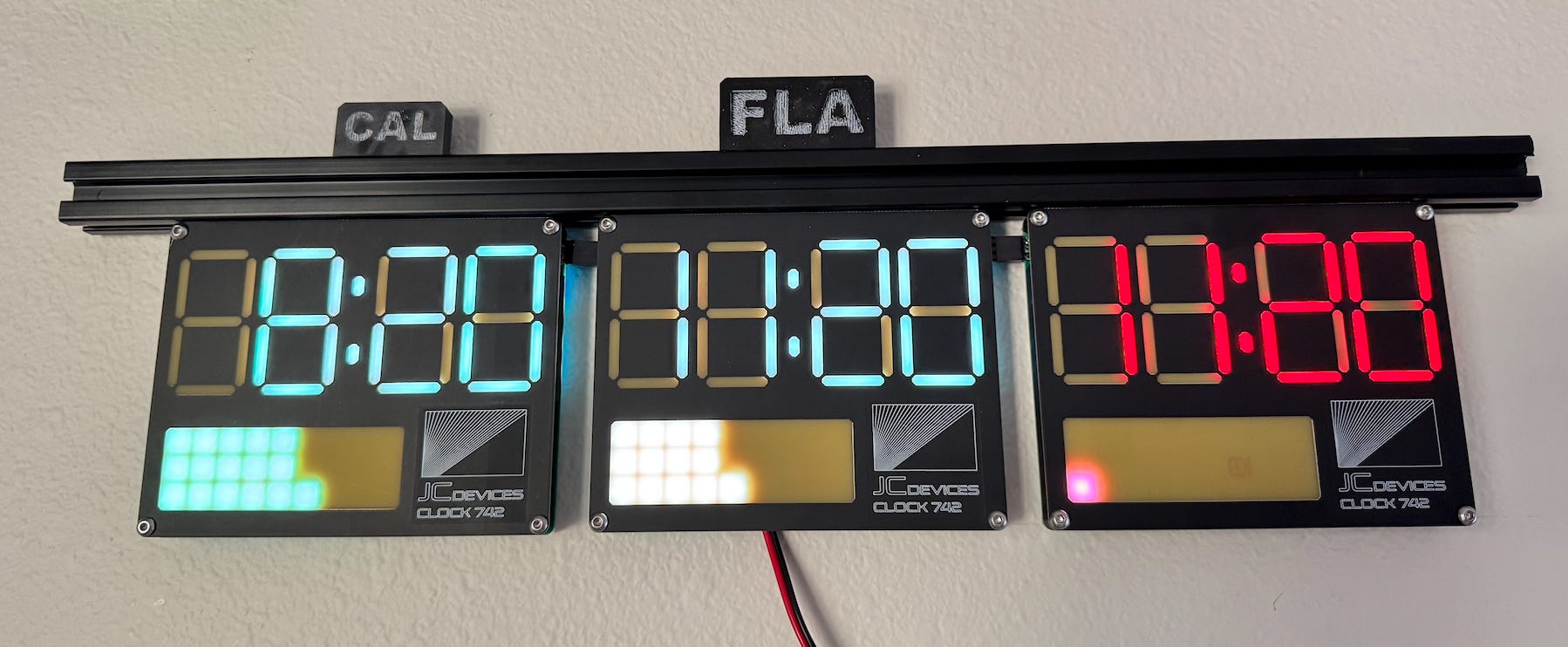
In this post, I’ll outline this multi-zone clock project, and how I was able to rescue it from unused purgatory (*sort of, see end). In a planned followup, I’ll outline my more general thoughts on what it’s like to work with AI for programming hardware projects. So, you know, subscribe not to miss it.
If you’re into offbeat engineering, real-world builds, and practical tech thinking, subscribe 👇
The (Defunct) Project
Some years ago, I had the idea to make a clock with several faces on it, allowing me to keep track of what time it was for friends and business associates around the world. It’s not a new idea — you’ve probably seen some version of this on a movie or TV show, depicting a command center of some sort with clocks set to different regions — but mine would be an all-in-one temporal monitoring solution that I never had to worry about.
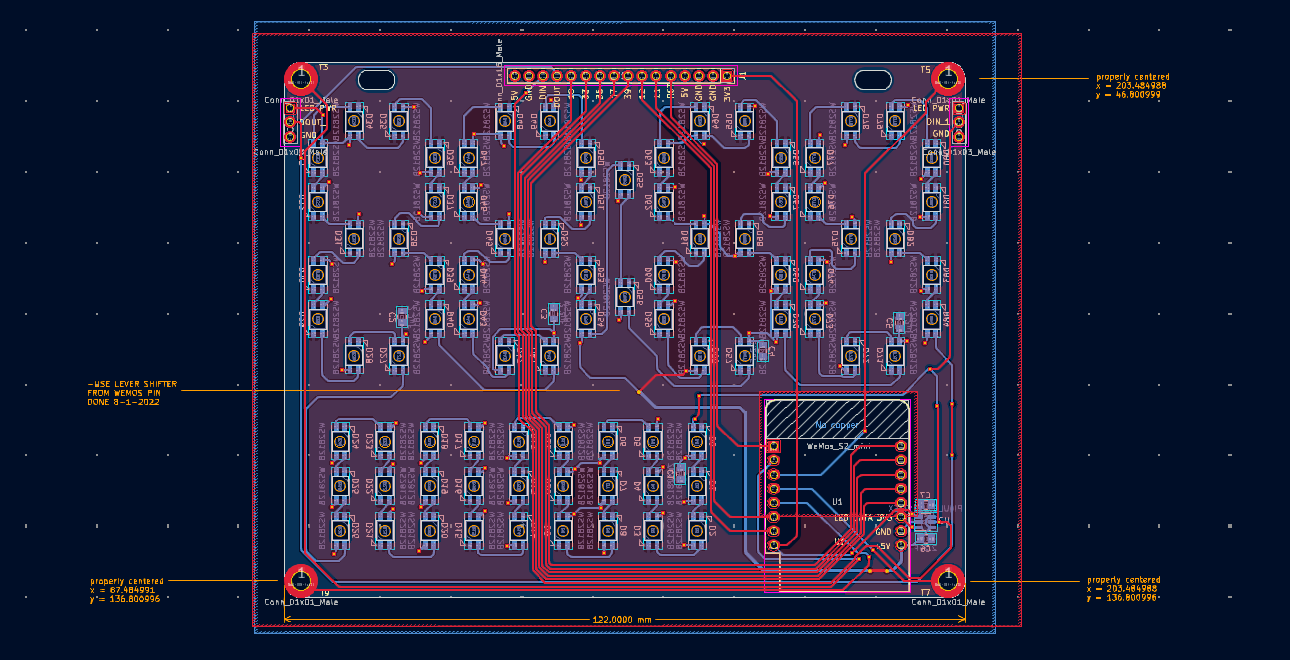
What I came up with used an ESP32 chip to connect to the local WiFi network and then auto-magically set the time via NTP (Network Time Protocol). It then displayed the time using a series of addressable LEDs (SK6812) on a printed circuit board (PCB), arranged to imitate four old-school 7-segment displays — like what you might remember from the Back to the Future era (maybe in that actual movie, I’m not sure).
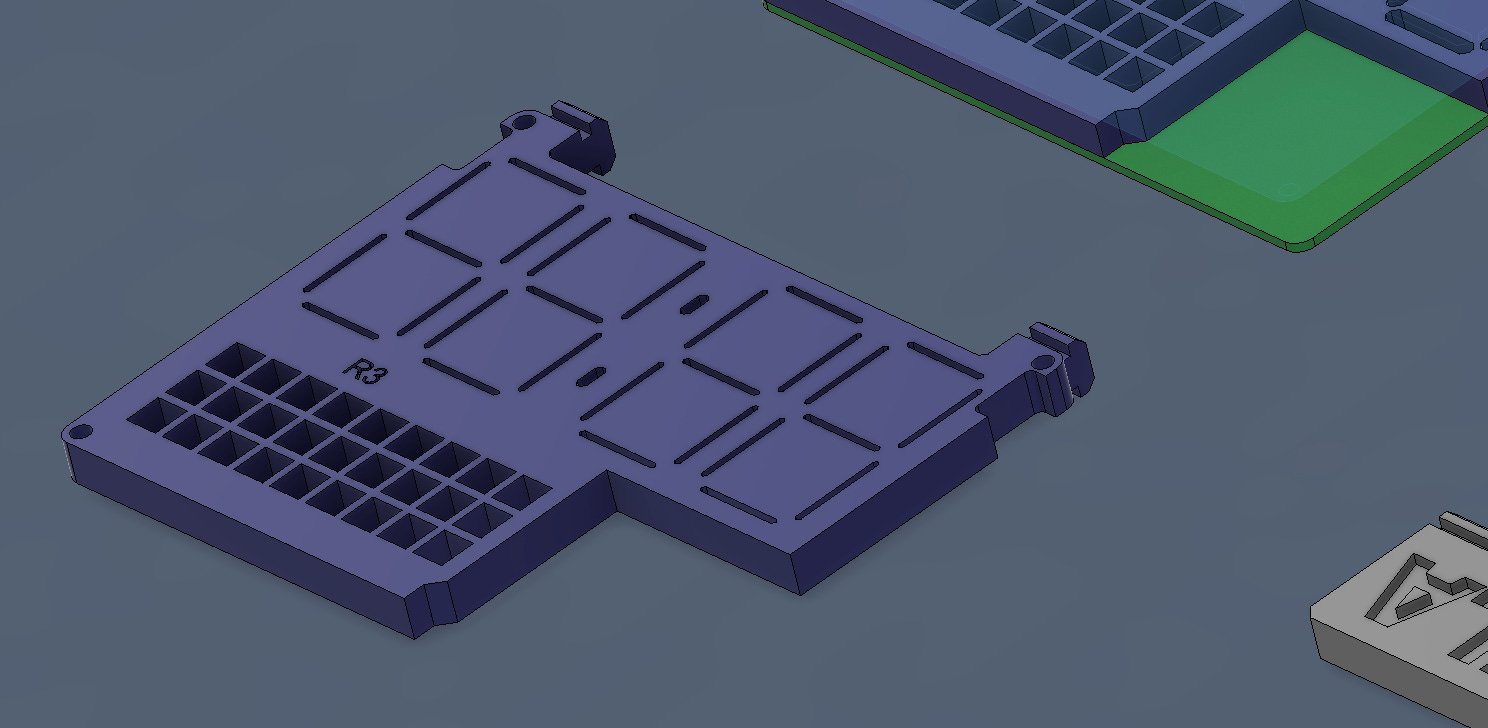
After quite a bit of experimentation, I was able to diffuse the LEDs through the top of another PCB, along with a 3D-printed light separator grid thing to keep the photons in their respective areas.
The problem (It sort of worked)
Long story short, the hardware could nominally display three times. I took it to a Maker Faire, and people thought it was neat. At least one person said he’d buy something like it.
However, it was far from perfect, most notably, it couldn’t automatically handle time changes. And the LED matrix below the digits was largely an afterthought. It just showed random lights that looked pretty but didn’t mean anything. Perhaps I’d get back to this project eventually… but a year or two later and it was still turned off after missing its designated time change.
Just ask Claude… to program firmware?
Today (or maybe a month ago, things are changing so fast) vibe coding has/had something of a bad name. And if code it made for the pure informational space (e.g. generate a webpage, modify a database) was questionable, how could it handle/understand how my physical circuit board interacts with a multitude of LEDs arranged in a rather complicated pattern?
Add to that the more complicated challenge of interacting with a WiFi network, and one would have to assume that it couldn’t effectively code hardware in the real world without a lot of virtual handholding.
Nonetheless, in our conversation, Jon assured me that it could indeed do this sort of thing, and that when he asked it to help him with a robot project that he hadn’t touched in some time, it fixed a persistent motion problem for him. I was skeptical, but the clock was an excellent test case, and I went ahead and asked Claude to help me out.
It did indeed solve my time change problem, and much more (again, see my note at the end). Here’s a short clip of it in action👇
Claude fixed the critical time change issue. It also helped me add the below features and more:
9x3 Matrix display (lower-left) shows hours left in the day in each zone in colors corresponding to the time of day in an 8x3 (24 hour format). Includes an animation where when the hours change, the no-longer-needed pixel/hour appears to shoot to the right, then up and off the screen.
Optional “Breathing” separators between the hours and minutes on each face. (Though this seems to induce some intermittent bugginess)
OTA (over-the-air) update functionality: while before I had to physically connect to this device to program it, I can now update the code via WiFi.
Update script: I had Claude make a script with various update options that I can run in my MacOS terminal. I just specify characteristics from a list of options (change brightness, separator breathing, etc).
Of course, even with THE POWER OF AI, there were a few features that I ultimately decided to leave off. Plus a few bugs:
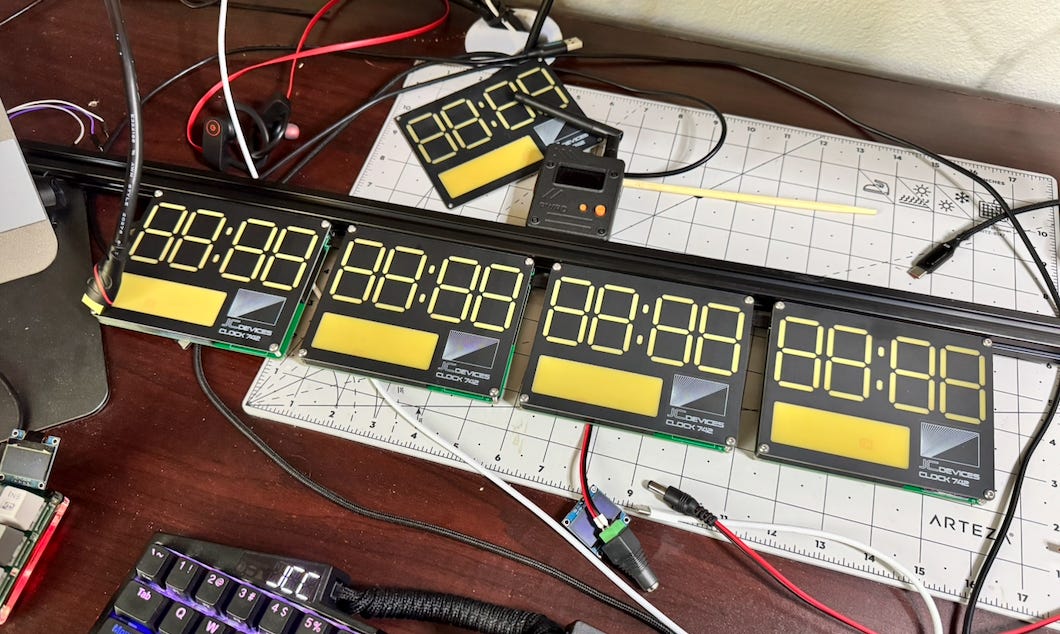
Fourth clock face: I had a fourth board in a not-quite-working state, but when I fixed it and added it on, things were somewhat buggy. Also, I’m not comfortable with the amount of power four faces draw together (at 85 LEDs/face).
From a usability standpoint, three faces seems like a nice straightforward configuration. As of now, faces for the US West Coast on the left, US East Coast (my location) in the middle, and China (all of it) on the right seems like just the right number.I wanted to generate a local web page where I could modify settings via a browser window. Unfortunately, browsers tend to be quite finicky about accessing sites without https://. Through no real fault of Claude, I eventually concluded this was more trouble than it was worth.
The LEDs flicker, and sometimes the time gets a few minutes off. Today, as I was writing this, I had to unplug it and plug it back in. Frustratingly, this is all rather intermittent, and I wonder if it’s a hardware problem.
The ultimate programming knowledge/intelligence tool?
Note that I was initially using Claude’s free Sonnet 4.6 model via the web interface. There is a better model and ways to use it, but that seemed good enough to at least try things out.
I plan to go over some additional thoughts in a followup post, but the obvious question becomes: Is AI good for everything? Is knowledge work dead? Is the era of thinking over? Are we even going to be able to think critically in the future? Should I just turn my work and this newsletter over to AI?
To answer that last question, no, I don’t plan to use AI to write this publication, for reasons elaborated upon in the footnotes2

Bottom line: it helped me here
In this case, for someone who is only OK at writing firmware, being able to just ask something (i.e. Claude) to take care of a task is an awesome capability. My clock is now showing me three time zones after a bit of (i.e. significant) back-and-forth, while it was basically a decorative doo-dad on my wall a few weeks ago.
To wrap this post up, AI allowed me to improve on something in a manner that is way beyond my current programming abilities. If you’re stuck on a project and want an easy button, Claude may just be that appliance. That said, there are some BIG caveats to this paradigm that I’ll outline in an upcoming post. Subscribe👇 to get it sent straight to your inbox! The Clock 742 repository is found here if you want to check it out.
Pre-publication update 4/28/2026
I originally wrote this post a few weeks ago and things looked good-ish (I saved it to publish later as I tend to do). Between writing and publication, it seems the clock still has some intermittent errors as noted above, most notably that I can’t be sure it’s displaying the correct time, which is obviously a big deal.
It also seems like Claude wants to let me pick its programming brain less and less for free. So, for now, it’s disconnected/off. Thought I should go ahead and put that out there, even if the the clock is much cooler in some ways.
Not a great endorsement. Anyway, stay tuned for my full followup! -JC
Techadjacent is where I share engineering ideas, builds, and practical tech analysis. Subscribe to get the next post in your inbox — published weekly👇
Thanks for reading! I hope you follow along on this Techadjacent journey. Fair warning: I can and do get a little off-topic in the footnotes.
Note: Some links may be affiliate
Another post for your edification:
That Time the Cartoon Network Threatened to Sue Me Over Laser-Cut Cardboard

March 18th, 2021: I received some rather disturbing news; the Cartoon Network had taken issue with a cardboard cutout of Ignignokt, the leader of the Mooninites, which I cut out on my (non-quad) laser. This… 8-bit space gang(?) comes from the Moon and caries a
Addendum/Footnotes:
Thanks Jon! The conversation was per a school field trip to Kennedy Space center where we were chaperoning our respective daughters and several other girls (which actually went pretty smoothly). Given the bus ride is 3+ hours each way, we had a lot of time to talk. Apparently that’s how long it takes to convince me of something.
…and it would be difficult to get AI to write about my personal experience anyway. Here the product is the writing. Out of respect for you, the reader, and your choice to spend your time reading it, I believe that an expression of my soul and personality should be contained herein, not an amalgamation of everything everyone else has written before.
I don’t even use it to spell/grammar check to preserve my authenticity and/or because I’m lazy.
That said, I did use it to clean up my subscribe call-to-action blurb, maybe a title or two, plus other “writing adjacent” tasks. I hope that is acceptable. Also, I used AI image generation early on, but have largely gotten away from that. It’s neat in some ways, but I feel like the hit in credibility isn’t worth it, as explained in more detail here.
Your readers (will) thank you for not using AI to write -- there's far too much of that :)
Coding assistance is a good use of AI tools, but as you found, Claude has gotten more difficult to get use out of recently. I was trying to use it for personal projects but it became unusable because of how low the limits are for a $20 plan. I switched to OpenCode -- I'd recommend it for its much lower cost.
Fascinating project. Glad you got it mostly working. Claude is not a clod! Thanks, I'll show myself out