

Editorial note: I accidentally sent out two posts last week that were meant for later this year and may not have even been finished. I unpublished as soon as I could, but if you got them, well thanks for sticking around! I’m planning to publish/re-publish them at a normal interval toward the end of the year, so please bear with me if you get them twice.
For the last 20 years or so, computer monitors have typically been flat, saving desk space — and people’s backs during installation and transport — versus the CRT behemoths that came before. At the same time, viewable monitor sizes have steadily been getting larger, with better and better resolutions1. But look closely at the back of most modern monitors, and you’ll find something else cool,2 a VESA bolt pattern that allows you to use a plethora of stands to hold it up.
OR you can attach accessories it. This is certainly less common, but I find it to be quite useful and something that you should keep in mind for… whenever it might come in handy.
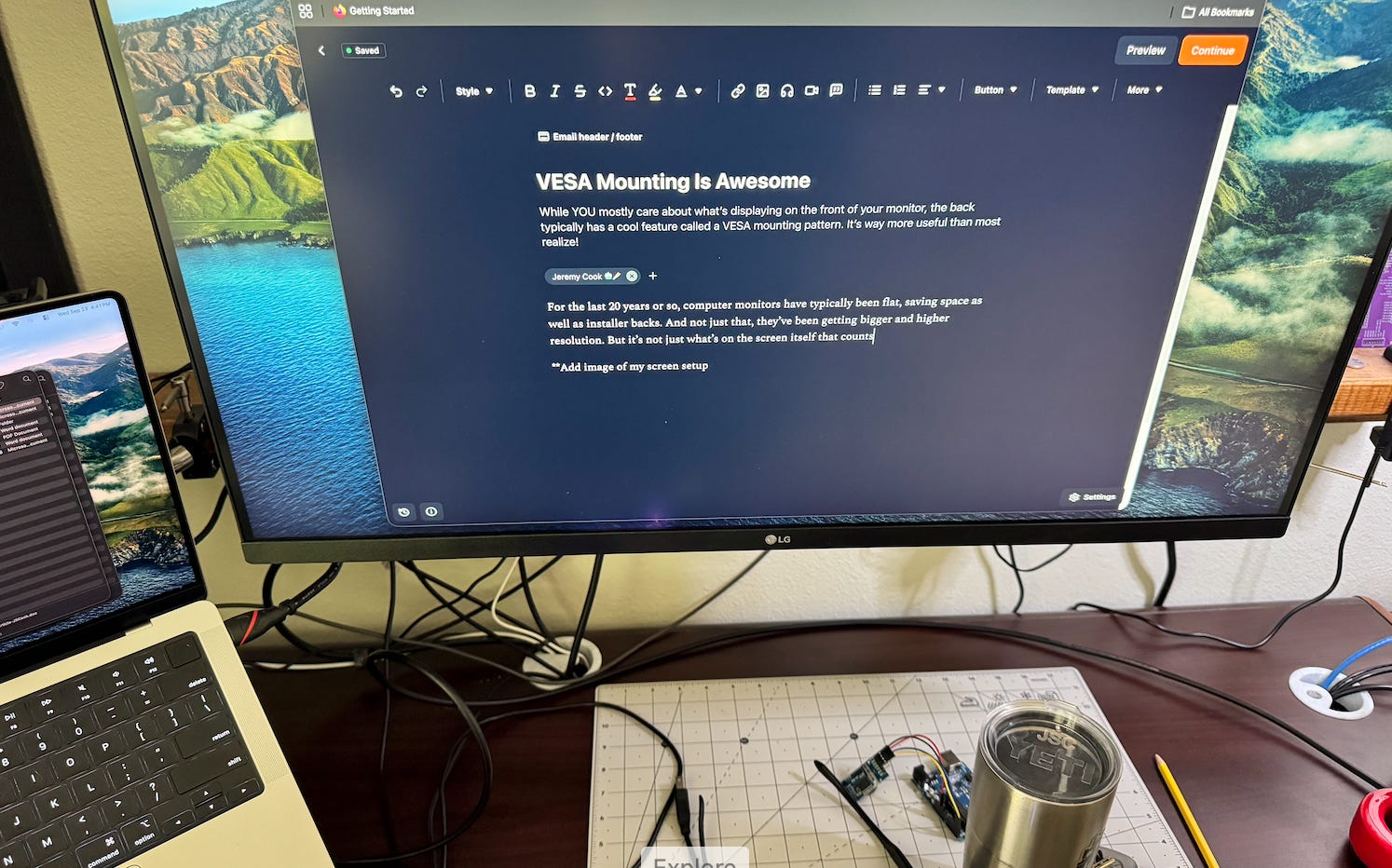
VESA mounting provides a convenient way to hang up your monitor in ways that would have never been considered in decades past — like my wall-mounted setup seen above. This puts is a lot of torque on the 2x4 mounted to the wall that holds it, but nothing compared to what a 32 inch CRT would produce. And I don’t have to use a fork lift to get it in here!

If you’re into offbeat engineering, real-world builds, and practical tech thinking, subscribe 👇
VESA patterns3, come in several different flavors, but 100 x 100 mm seems to be the norm for computer monitors, with M4 bolts used for attachment. It is certainly useful to keep your monitor in place, but consider that this standardized pattern can also be used to mount accessories to the monitor itself.
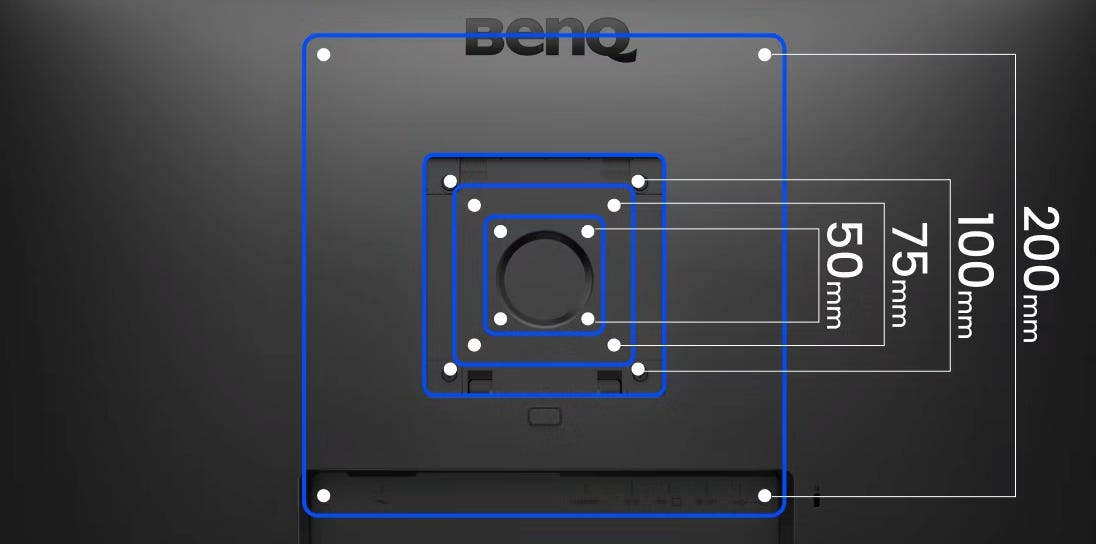
Below are several examples of mounting accessories to the monitor, and one neat way to mount your monitor to the wall. Read on if you’re ready to take your back-of-the-monitor game to the next level!
Small form factor (SFF) PC computer mount
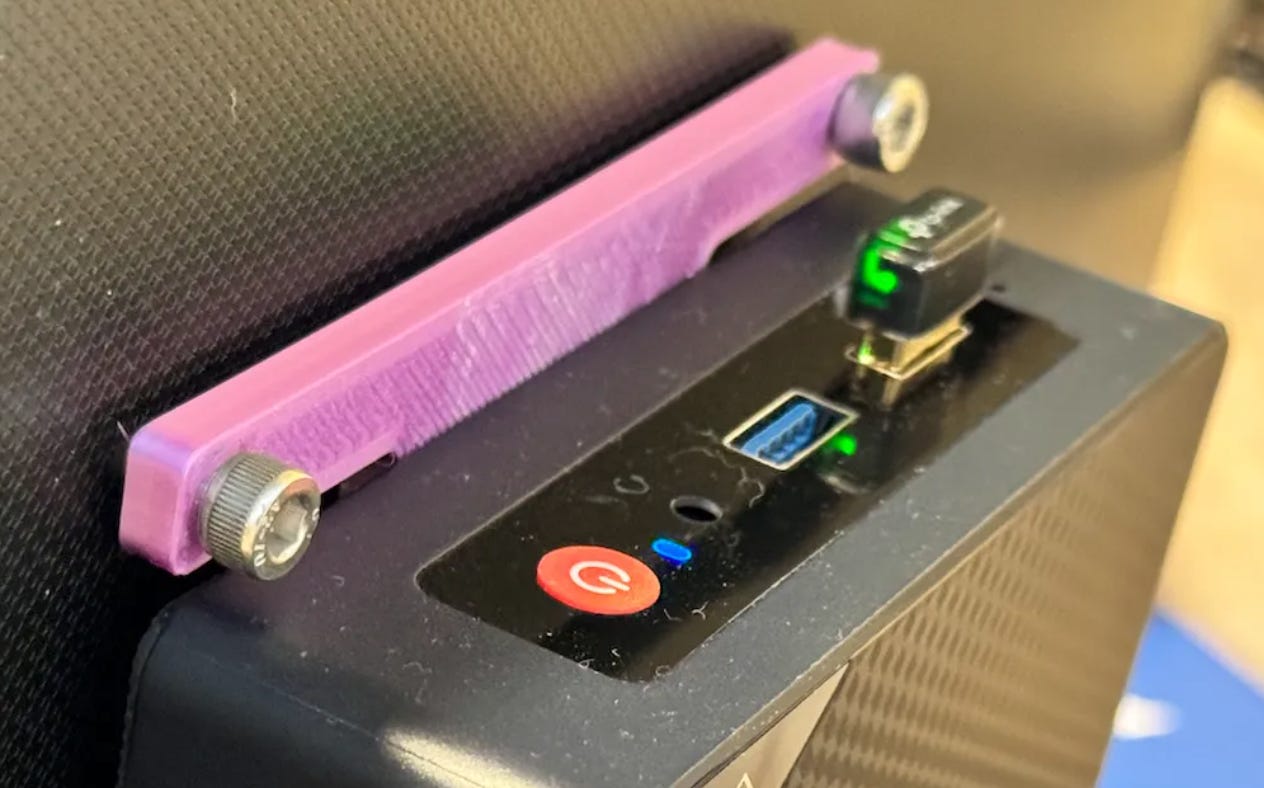
Traditionally, a computer goes somewhere next to the monitor it’s controlling, but as processing devices have gotten smaller and smaller, small form factor (SFF) PCs can actually attach to the back of a monitor with no issue. You’ll just need the proper mount — I designed one (available here) for my BeeLink Mini PC that you can use as-is, modify, or just peruse for inspiration.
Arduino UNO Q mount
I’m doing a series for Arduino about getting started with the UNO Q4, which has some interesting abilities as a single-board computer and microcontroller development board in one. What it lacks (or lacked), however, is a way to organize the board itself, plus the hub that you need to route signals in power, in a nice package attached to the monitor.
Now, through the power of VESA mounting, you can keep everything in one place, and even transport everything together without too much hassle. Neat!
All-in-one test suite
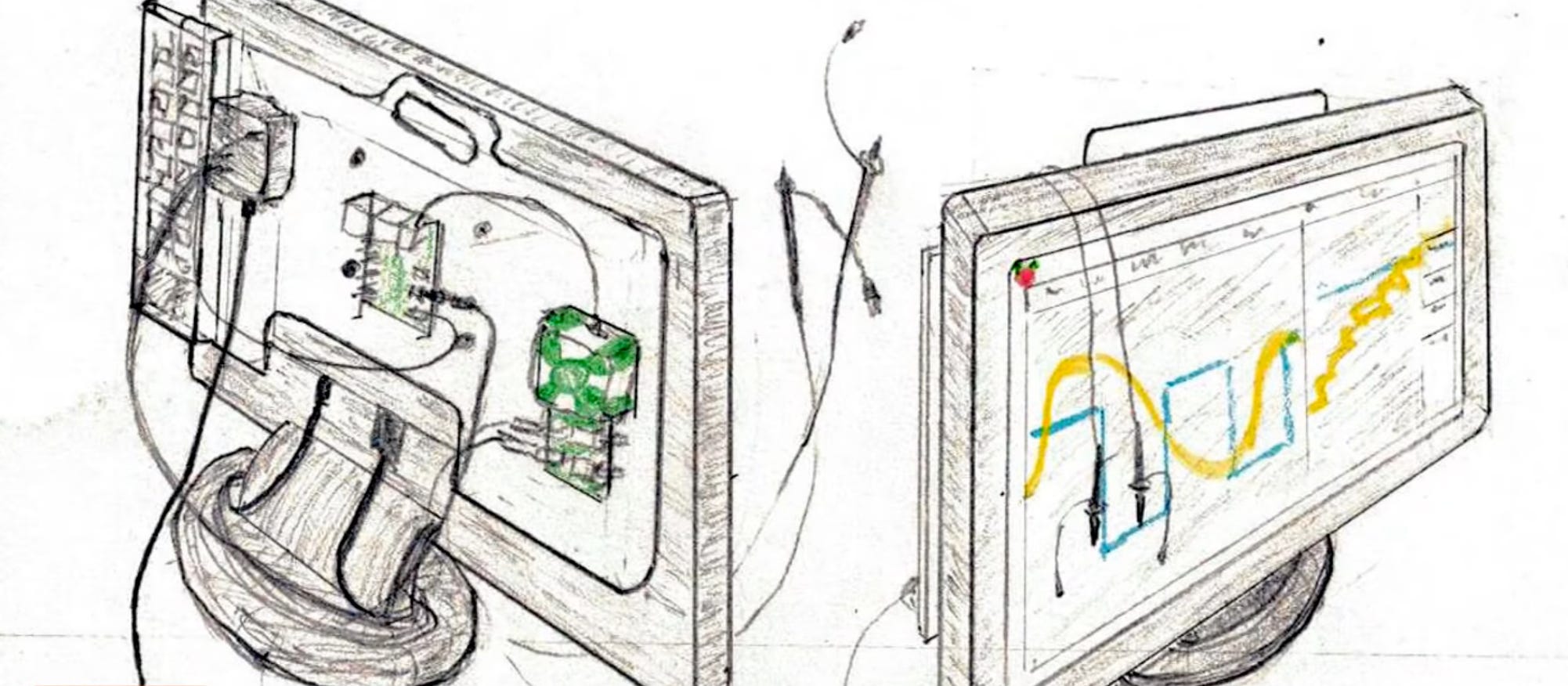
If you can mount a single-board computer to the back of a monitor, could you also mount an entire test suite based on the Raspberry Pi 4 and Analog Discovery 2? I did such a build in this video, cutting out a backing panel on which to stick electronics bits and even a miniature keyboard for a fully portable setup. While you may or may not need a scope/signal generator like this, consider that my backing plate/Velcro setup could be used to stick just about anything to the back of a monitor, while keeping it clean if and when you need to remove it.
French Cleat
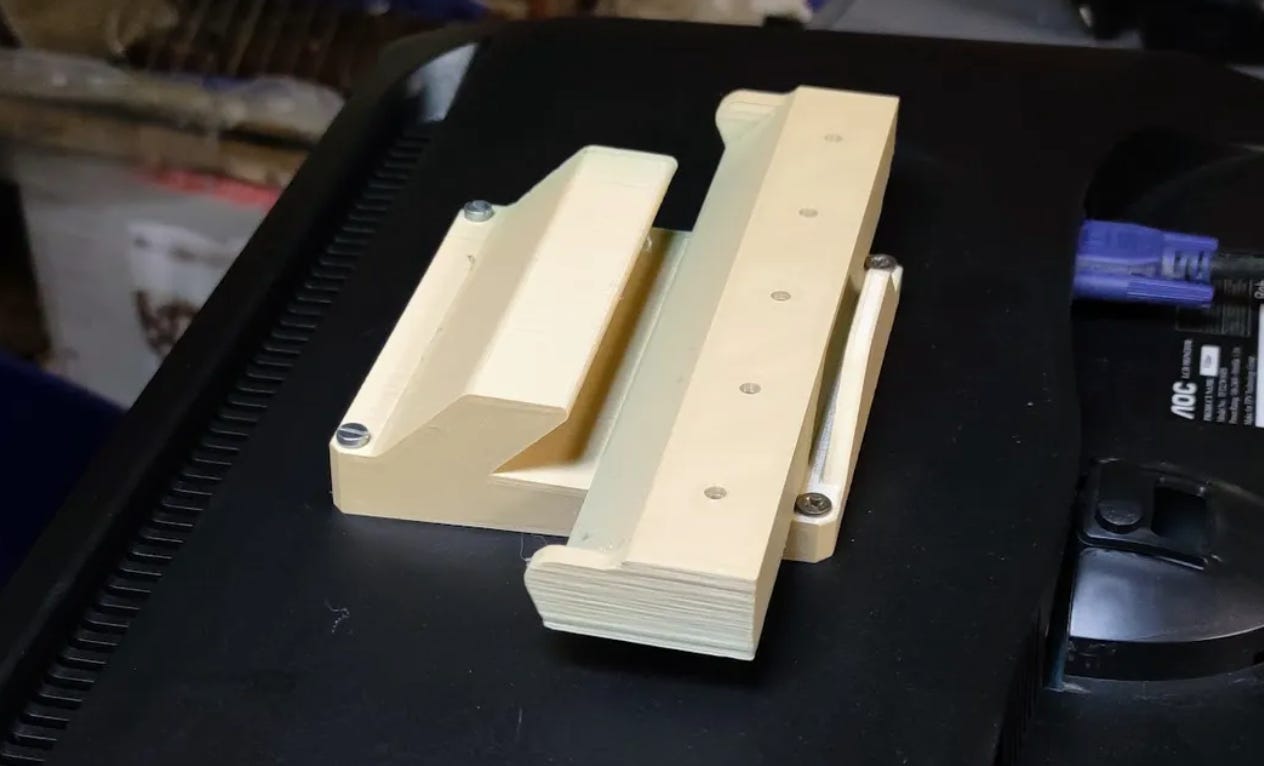
This is a monitor mount, not a mount-to-monitor setup — and not my design — but I still thought this VESA French cleat was cool enough to mention here. The use of French cleats is a (primarily woodworking) technique that uses 45º sections positioned in such a way that they can slide into one another to hold up a cabinet or similar. In this case, the “cabinet” is the computer monitor, and mounting things this way allows the monitor to be positioned very close to the wall.
Of course, this means that you can’t really adjust where the monitor faces, but I guess that’s the tradeoff to such a setup. Of course, you might also consider designing a wall-style cleat section that fits on the VESA mount, allowing accessories to hang off of the back of the monitor as if it was the wall.
MOAR VESA ideas
With the exception of the French cleat setup, these builds mostly boil down to mounting things to your monitor in semi-portable setup. Simple, but potentially quite useful. Personally, I’d like to see this expanded, perhaps with people using it to mount microphones, lighting, cameras… maybe even a fan? The possibilities are endless,5 or at least they extend further than most would normally consider. I hope this sparks some ideas! -JC
Techadjacent is where I share engineering ideas, builds, and practical tech analysis. Subscribe to get the next post in your inbox — published ~weekly👇
Thanks for reading! I hope you follow along on this Techadjacent journey. Fair warning: I can and do get a little off-topic in the footnotes. Get in touch: hi@jeremyscook.com, leave a comment, or just reply if you’re reading this as an email!
Note: Some links may be affiliate
Addendum/Footnotes:
As a kid, someone showed me Doom on what at the time seemed like a GIGANTIC monitor used mostly for CAD work. While it certainly seemed scary at the time, the graphics didn’t seem great because they were blown up so much on this “very large” screen. I think it was something like 21 inches.
My current monitor — which certainly weighs much less than that “huge” monitor did — measures 32” diagonally, which is roughly twice the viewable area. I didn’t do the math personally 👇
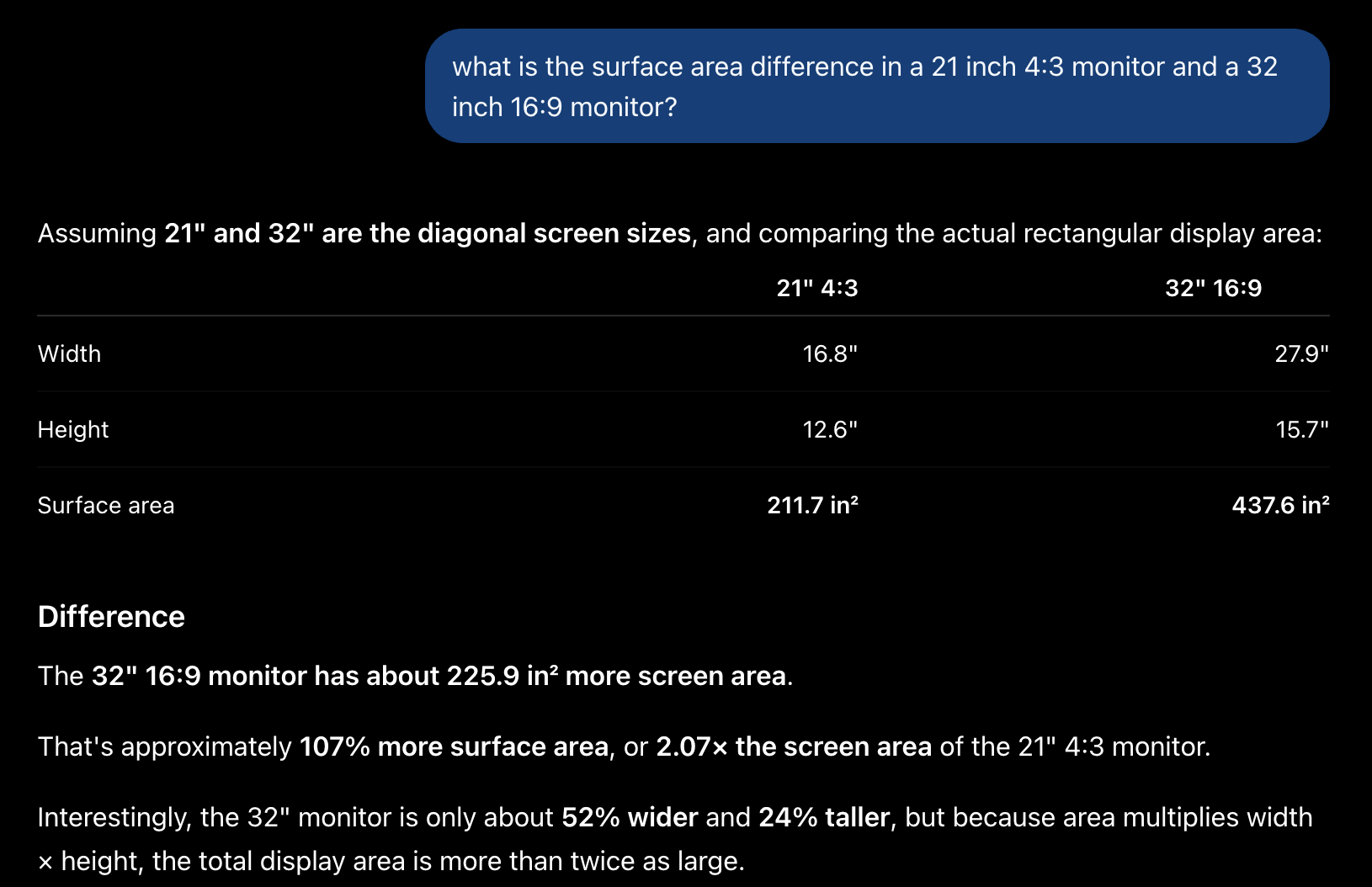
Also, the resolution is much better, and I suspect the price of mine was is significantly lower when adjusted for inflation. And I bought it five years ago, so there are probably better monitors on the market now. Bigger is mostly better in this case, but 32 inches, plus my laptop screen to the side, seems nearly optimal for my use case.
Not cool, like Elvis, Lenny Kravitz, Pierce Bronson, or any other dated reference I can come up with, but cool like, “Wow that computer has a lot of RAM and could probably run a local LLM really well.”
And while you may argue that Elvis especially is no longer cool, one has to give him respect for being the only person on this list that didn’t need a last name as an identifier. I doubt any of those people know what a VESA mount is.
Also, I’m assuming “most” modern monitors have this mounting pattern built in. It’s at least many.
VESA stands for Video Electronics Standards Association, which does more than specify bolt patterns. Nonetheless, people associate this bolt pattern with the term “VESA mount” in much the way that controls engineers might refer to “DIN rail” as a section of extruded metal on which you hang electronics in a panel. DIN, or Deutsches Institut für Normung does much more than specify dimensions of rail on which to hang electronics.
Actually, given DIN’s scope (there are around 30,000 DIN standards!), it’s especially ridiculous to think of it in only this particular context. Also, I’m told its pronounced “deen” in Germany, not “d-in” as was my understanding from working as a manufacturing engineer in South Carolina. That said, I’m not sure the term “deen rail,” or “deen schiene(?)” is even a term in Germany. It’s strange how language evolves.


The video series is meant to fill the gap between the unboxing/total noob videos and the “we made a robot dog” or “check out this wild advanced AI example” content for the Arduino UNO Q. Basically, I’m trying to explain the concepts that allow someone to go from point A to point B, or maybe even C.
I think content at this level is currently lacking, which is a big part (IMO) of why a lot of people kind of trashed it early on. I think there is an appropriate place for this board, especially as an all-in-one education platform. And yes, Arduino is paying me to make this series, but they didn’t pay me to put my opinions out here on Techadjacent.
…Realizing that I wrote “The possibilities are endless!” about a piece of standardized mounting hardware is perhaps the epitome of nerding out. That said, if you’ve read this far, well, you’re probably one of us — the engineers, technical people, and tech adjacent that do indeed get excited about such a thing. Or maybe you just like my writing and/or want a window into the world of engineering and technical people as one observes animals in the wild.
neat. i have a beelink and the included mount they provide is turd.