

If you’re not an engineer and/or OCD1, you probably don’t care about what’s going on behind your TV, as long as it works. And certainly guests and/or members of your family don’t care either…
BUT YOU’RE STILL READING, so you’re at least curious as to how to make things semi-organized in that no-man’s land. Even if you don’t use an Apple TV for streaming as outlined here, I hope the general principles will be useful!
If you’re into offbeat engineering, real-world builds, and practical tech thinking, subscribe 👇
Quick TL:DR/stuff used - I mounted an Apple TV to the back of my… TV & organized the wiring with zip-ties:
Reusable Zip-ties (yes, you can zip them off, which is awesome)
3D-printed mounts: ready for download!
I’m sure I’ve mentioned this before, but if you have an idea for something, especially if it involves a popular item (e.g. Apple TV), check your favorite 3D-printing repository to see what’s available. In this case, Printables had several mounts ready to use, and I found one that I could just download and print out in PETG.
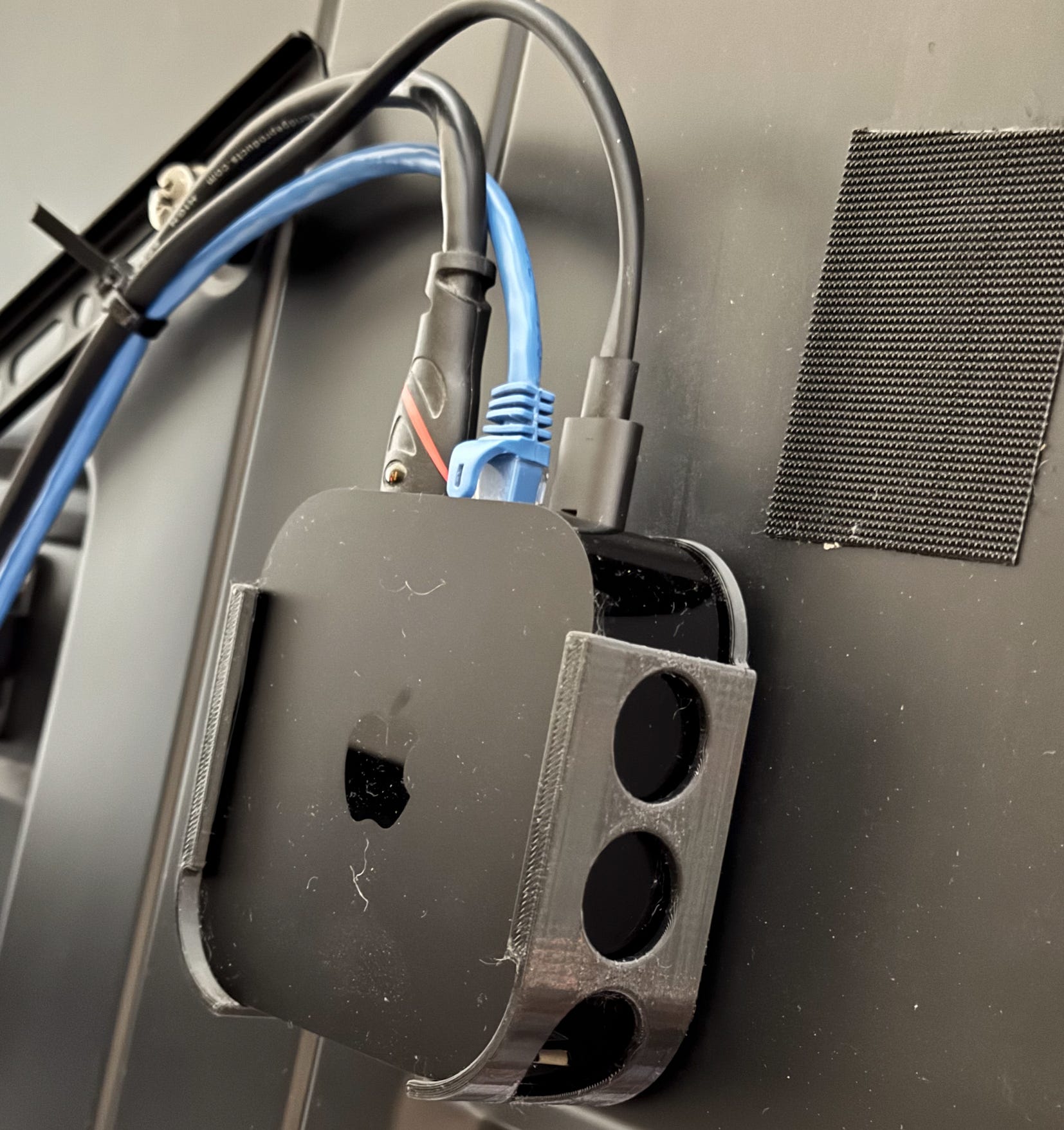
Velcro is your organization friend
What can I say about Velcro. Rumor is that it was actually harvested from an alien spacecraft circa 19472, but now it works really well for keeping terrestrial things in place. In this case, a bit of adhesive on the back of the not as fluffy bit attaches it to the TV, while the fluffier portion attaches to the mount itself with a bit more adhesive, allowing the Velcro to work its magic.
One might argue that you could just attach the Velcro directly to the Apple TV or other streaming device. But that seems like rather rubbish work, and you’re gooing up a beautiful piece of hardware. Best to avoid that if possible. As a rule, I tend to use the non-fluffy bit on the more permanent base, i.e. the TV in this instance. You might have a different opinion, but be consistent.
If you need to reposition, just pull it off and add more Velcro-tape as needed. As seen in the image above, I initially installed it a few inches higher and to the right.
Cable management [reusable zip-ties are awesome]
Circa 2020, I ran power/ethernet/micro USB behind the TV via the ECHOGEAR cable management kit listed above. While the Ethernet was largely useless for my ~2010 vintage plasma TV, I’m quite glad I left it there for my Ethernet-enabled Apple TV. Hooking it up was just a matter of splitting the power outlet with an extension, then connecting power and Ethernet to the Apple TV. HDMI then plugs directly into the TV.
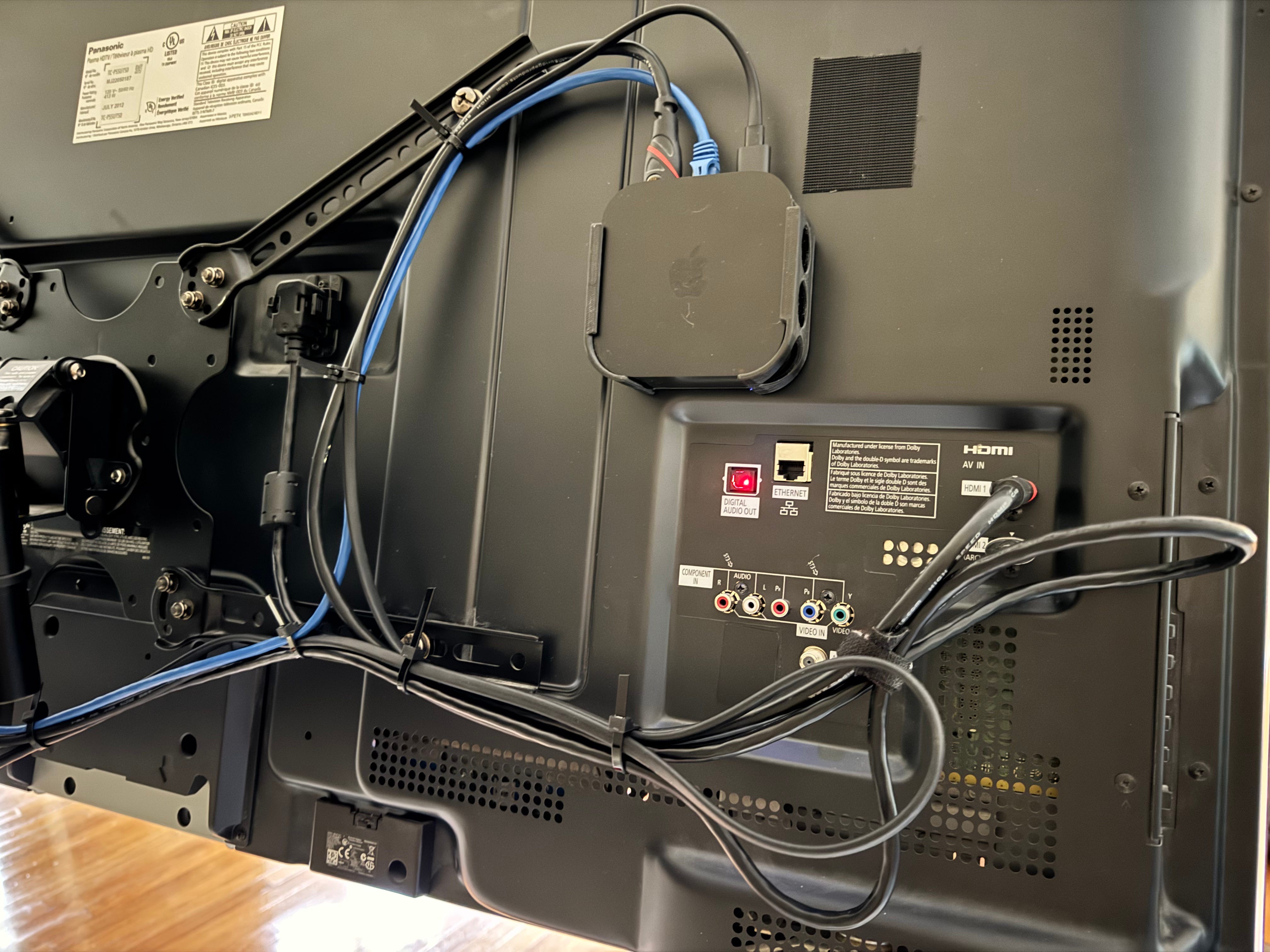
This situation is convenient, but leaves a lot of wiring behind the screen that either: A, looks bad, but is hidden, or B, Actually hangs below the TV. If neither is acceptable to you, look no further than the reusable zip-ties listed above. Unlike normal one-use ‘ties, a little tab releases them, allowing them to be reapplied or adjusted as needed.3
A few tips on zip-tie wire organization:
Lightly zip-tie to begin with, then secure when you have a good general layout for the wiring
After locking things down, cut the zip-tie ends off at an angle, but leave an inch or so sticking out so that they can be reused if needed.
Leave enough slack so that wires aren’t tight, and if they will move (e.g. a movable screen mount) that they won’t be tight (or be forced out) in any position.
Loop extra cable and secure if it’s too long.
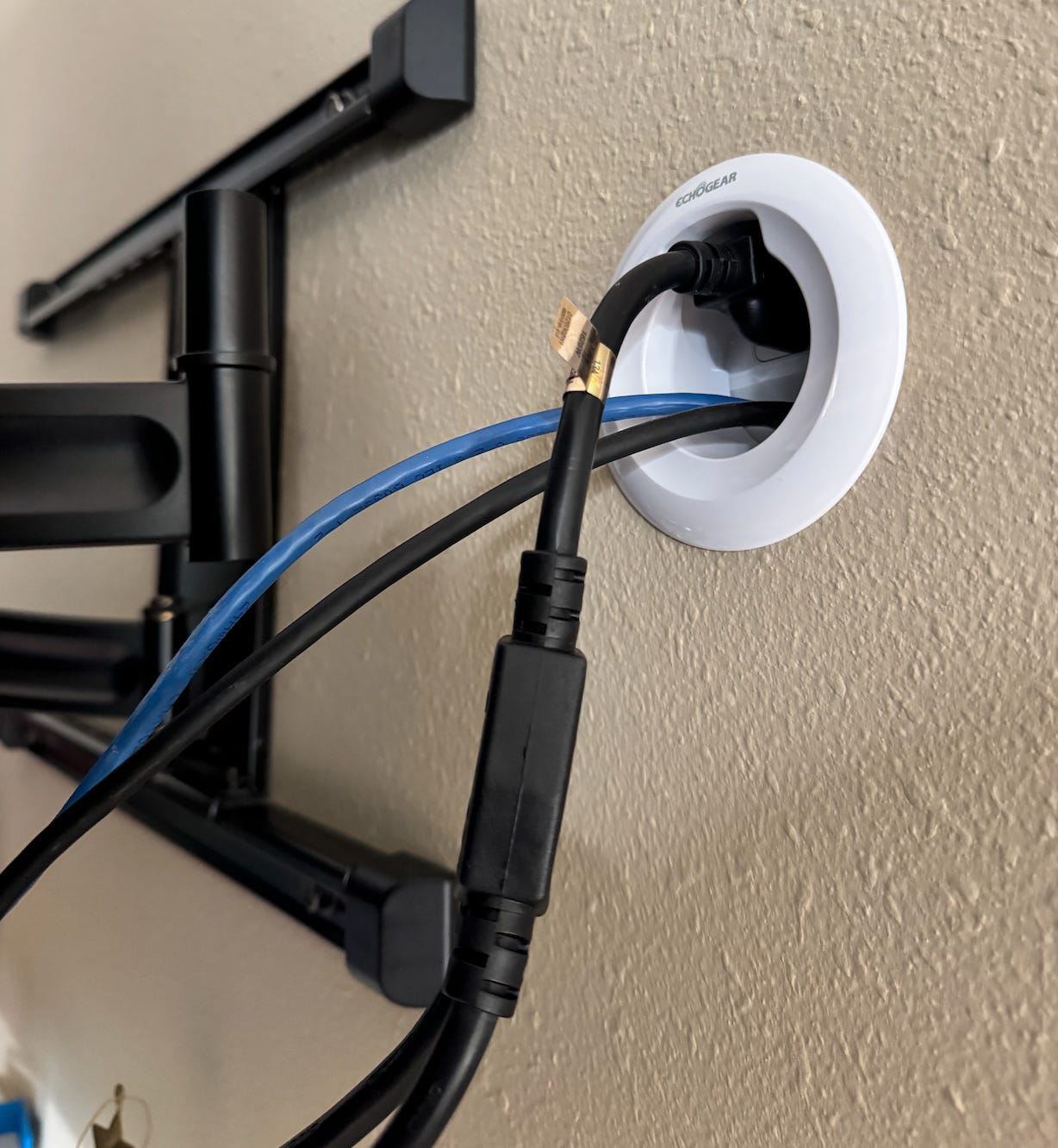
I was happy with years-ago Jeremy for leaving the Ethernet cable in place, even though it wasn’t then being used. I did pull out the Micro-USB cable that was previously powering my little Roku player. Maybe that would have been convenient in the future.
Final thoughts? What about the Apple TV?
Long story short, I like the Apple TV. If you want my more complete thoughts, dsee the post below👇👇
How My Roku LT Forced Me to Smash It in a Vise and Buy an Apple TV

Circa 15 years ago, I primarily watched TV via an antenna, plus a desktop PC hooked up to our living room screen. This was before “cord cutting” became the norm, and overall it worked out pretty well. For our secondary TV, perched above an elliptical machine that we still own and use, we chose a 720P Roku player. This box allowed us to access Netflix and Amazon prime with a relatively simple interface. All was well.
I don’t think Apple TVs are the most common streaming devices at this point. However, as other media players and smart TVs become/remain advertising cesspools, I could see them becoming more and more common as long as they don’t pursue that path. So don’t do that Apple. And stop reorganizing my icons while you’re at it.
I hope you enjoyed the article. As we all know, good wiring practice never goes out of style 😎🫡 -JC
Techadjacent is where I share engineering ideas, builds, and practical tech analysis. Subscribe to get the next post in your inbox — published weekly👇
Thanks for reading! I hope you follow along on this Techadjacent journey. Fair warning: I can and do get a little off-topic in the footnotes.
Note: Some links may be affiliate
Addendum/Footnotes:
Or is engineer synonymous with someone what has a bit of OCD, i.e. obsessive-compulsive disorder? I joke. Sort of. But if certain things aren’t organized correctly, it really bothers me. On the other hand, if other things aren’t in order, it don’t bother me at all. My office is often quite messy, and it’s sort of a clean it up when I get to it situation. Selective OCD, one might say.
Or maybe this is how Velcro originated. Of course, I might make up a story about a Swiss engineer inspired after walking through the woods and examining cockleburs too if I was harvesting tech from a downed alien spacecraft...
One-use ties can be reused as well, but it’s a bit harder. At least harder than cutting them off:
This is great! I am mounting a NUC box to the back of my work TVs to run Zoom, and I love your ideas here!
Also, the Roku picture made me laugh out loud!